New Creator Onboarding
Start Creating in 5 Simple Steps
Choose your brand, set up your accounts, follow the training, and start posting.
Choose who you want to create for
Lunch Money
Pokémon restocks, new drops, and collectible content.
Dealify
Clearance deals, price errors, and reselling content.
You can create for one or both.
Create your four accounts
Sign up on all four platforms with the same or very similar username. Your name should immediately tell people what your page is about.
Pokémon examples
- PokeDropsHQ
- PokemonRestockHQ
- PokeDropAlerts
- TCGRestockDaily
Clearance examples
- DealsDailyHQ
- ClearanceFindsHQ
- DailyDealDrops
- MarkdownAlerts
Pokémon bio
🎯 Snag Pokémon Cards at MSRP! 📦 Restocks, Alerts & in-store Trackers 👇 Join 20k+ Collectors
Clearance bio
Hidden Clearance Deals 🔥 Let’s SAVE and MAKE you some 💰 Free discord below 👇
These are examples. Choose something close to your niche that is available across all four platforms.
Join the content creation server
The same creator server is used for both Lunch Money and Dealify.
Once you are inside, go to the main chat and type the command for the brand you want to create for:
- Pokémon creators: type /waitingroom3 for Lunch Money
- Clearance creators: type /waitingroom2 for Dealify
If you want to create for both, type each command and complete the process for both waiting rooms.
Watch the training and follow the scripts
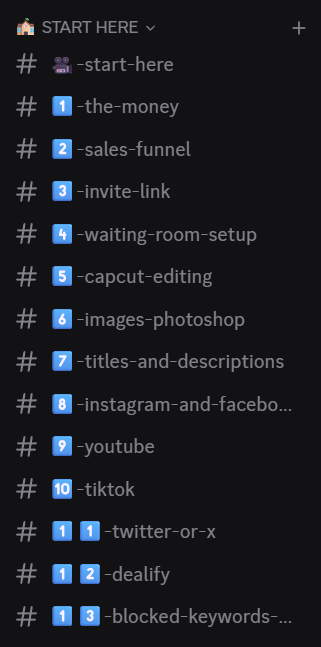
Inside your waiting room, work through the numbered training channels in order.
- Watch the editing training
- Use the approved scripts
- Use the approved bio and affiliate link
- Ask for help when needed
Post every day
Post at least one short-form video every day.
Create once. Post to Instagram, TikTok, Facebook, and YouTube.
Consistency is the goal. Your first videos do not need to be perfect.
Ready to Start?
Join the server, type /waitingroom3 for Lunch Money or /waitingroom2 for Dealify, and begin.
Quick Questions
Can I create for both?
Yes. Join both waiting rooms and keep each account focused on its niche.
Do I need experience?
No. The editing training and scripts are provided inside the server.
How often should I post?
At least once per day on all four platforms.